What is WEMo
A wave exposure model you run from the browser
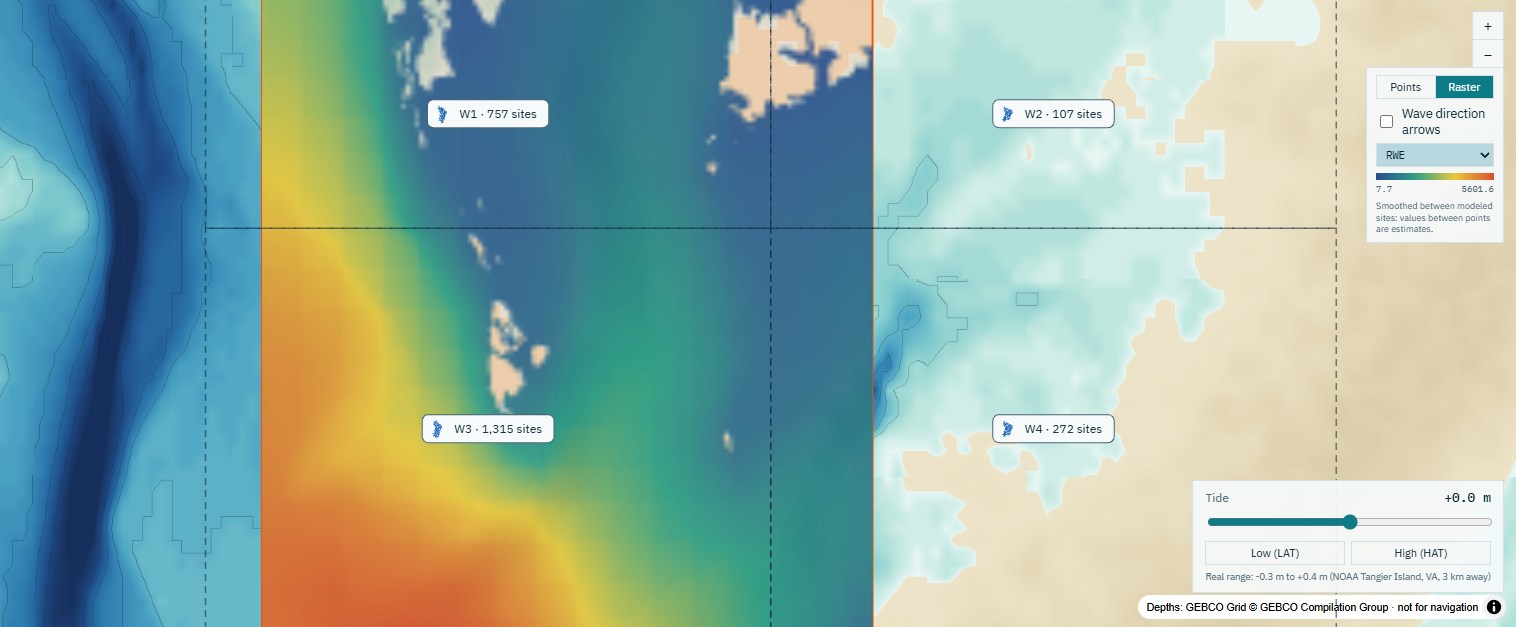
Most of the waves that shape a seagrass bed, a marsh edge or an oyster reef are made by wind blowing across the water body itself. WEMo measures how far that wind can blow over the water toward each site, in every direction, and grows the waves along the way over the real depths.
Draw your area
Outline a bay or shoreline on the map, or drop points. WEMo lays a grid of sites over the water at the spacing you choose.
WEMo traces fetch and grows waves
From every site it runs rays in up to 56 directions to the shore, reads the depth along each, and grows waves with the wind from that direction, with shoaling, bottom friction and breaking.
Get maps, tables and a report
Wave height, wave energy (RWE), orbital velocity and bed shear stress for every site, weighted by how often and how hard the wind blows from each direction.
Why WEMo
Wave analysis without the modelling barrier, checked against SWAN
WEMo gives coastal scientists, restoration practitioners and resource managers wave results accurate enough for siting, restoration, planning and screening decisions, without the grids, calibration and specialist training a full spectral model such as SWAN demands. It isn't a replacement for SWAN: it fills the space where SWAN's extra precision wouldn't change the decision. Why WEMo, and how its results compare with SWAN.
Built on a published model
WEMo was formulated at NOAA's National Centers for Coastal Ocean Science by Amit Malhotra and Mark Fonseca and published in 2007 (NOAA Technical Memorandum NOS NCCOS 65). It has been used for seagrass restoration siting, living shoreline design and erosion studies.
This app is built by Geo Horizons, founded by Amit Malhotra. It keeps the original formulation as a setting, reproduces NOAA's implementation exactly with it, and adds the shallow-water physics a spectral model would include.
An independent product of Geo Horizons, not affiliated with or endorsed by NOAA.
Validated and Checked
The defaults were tuned against SWAN, the standard spectral wave model, then tested on three basins they were not tuned on and against three years of hourly wave buoy data. At moderate winds WEMo's wave heights come within a few per cent of SWAN's (median); strong winds in deep water run lower, and the limitations say where and by how much.
No data to prepare
Depths come from the GEBCO 2026 global grid and wind from hourly reanalysis back to 1940, requested over water, not land. Where a buoy or weather station is close by (US, Canada, Europe and worldwide), WEMo offers its measured wind instead. Ocean swell can be added for open coasts and bay mouths.
Have a detailed survey or your own wind record? Upload it and WEMo uses it in place of the global data.
Answers in minutes, not weeks
A bay-wide run takes minutes on our servers, where setting up a spectral wave model can take a specialist days. Change a setting, the water level or a structure and run again on the same sites, and every run stays in your project to compare and reopen.
What you get
Everything from the screening map to the GIS files
These come from real runs in Chesapeake Bay.
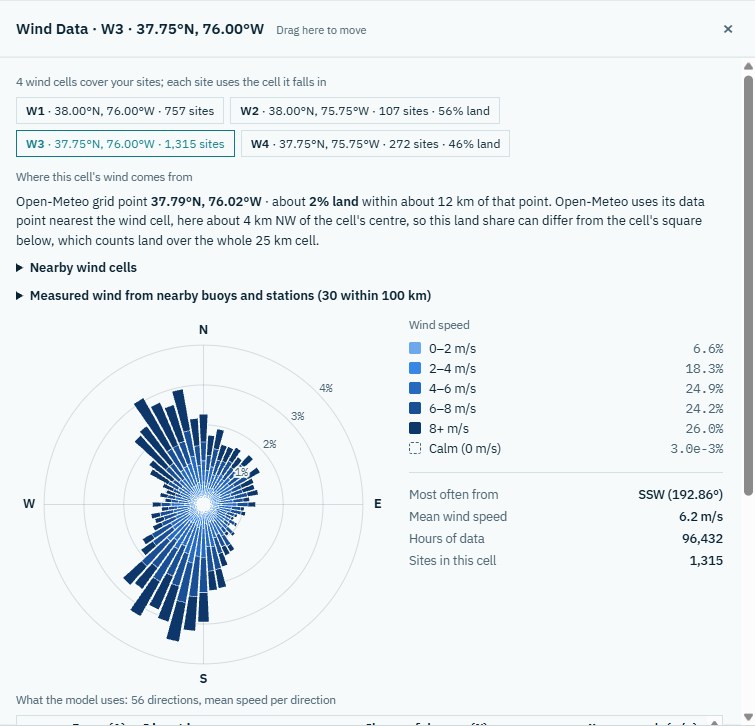
Wind you can see and choose
A wind rose for each 25 km cell, how much of it is land, and the nearby buoys and stations whose measured wind you can use instead.
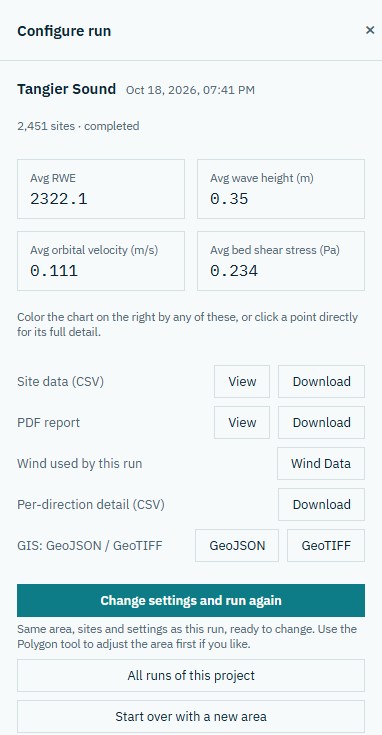
Results and downloads
Summaries, a click-for-detail map and every site's numbers.
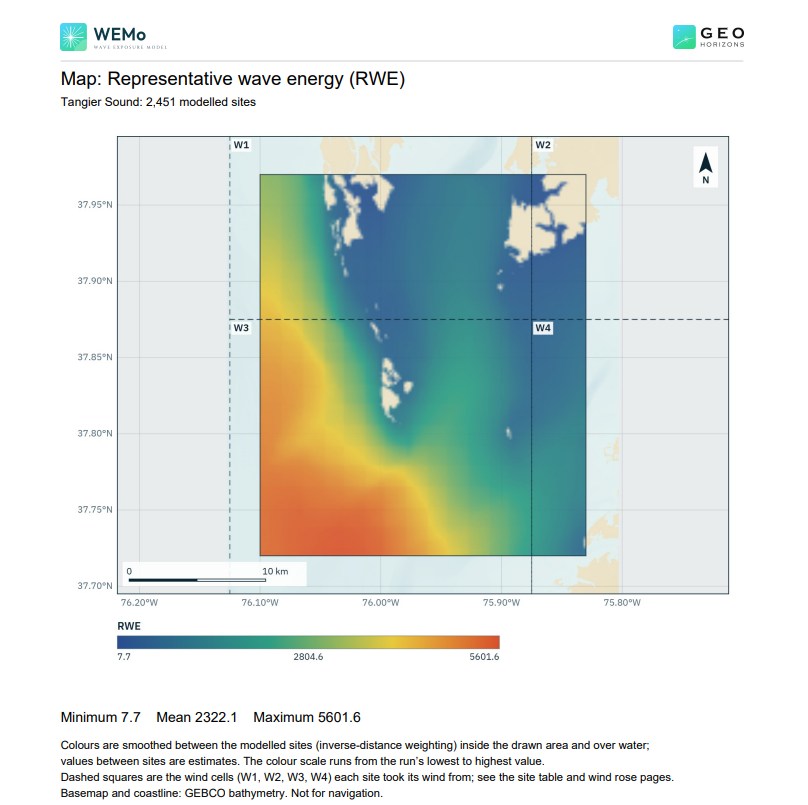
A report to share
A PDF with maps of each result, exposure classes, wind roses, the settings used and the model's limits.
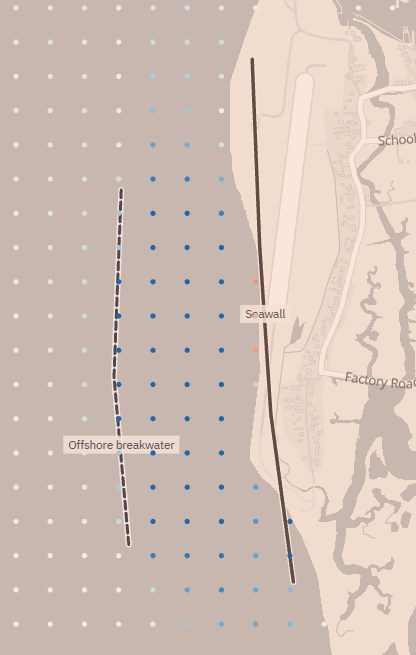
Test shoreline options
Add seawalls, revetments, breakwaters or sills and see the change they make, where reflected waves raise the water in front of a wall, and where the toe may scour or the shore downdrift may erode.
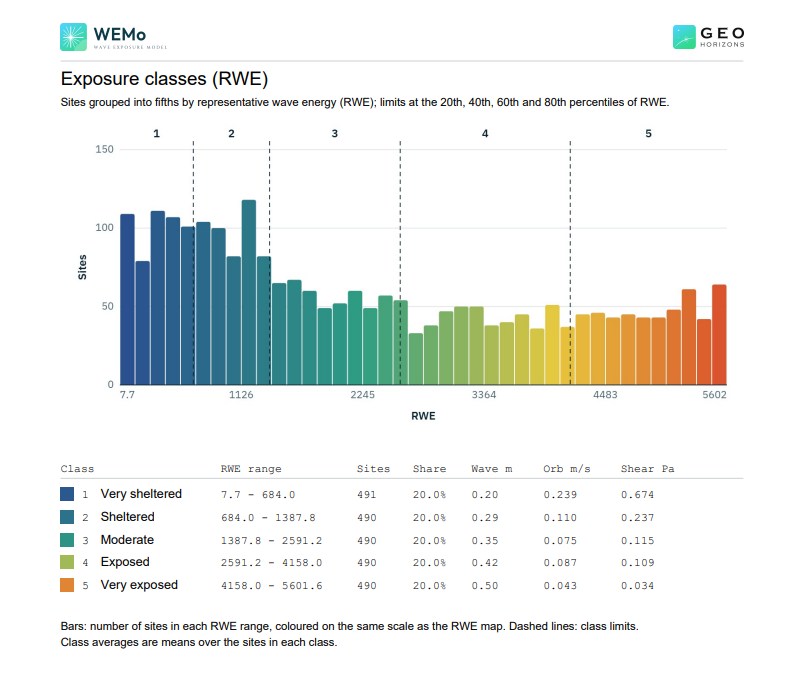
Exposure classes
Every site placed in one of five classes from very sheltered to very exposed, so a bay can be compared at a glance and the classes carried into a habitat or siting model.
Who it's for
Built for the questions people ask about sheltered water
Seagrass and habitat restoration
Find where waves are calm enough for plantings to establish, and where a bed might reduce the waves behind it.
Living shorelines and coastal design
Compare sites and treatments, from a marsh sill to a revetment, before committing to detailed design.
Aquaculture and moorings
Screen lease areas, gear sites, moorings and monitoring stations by how exposed they are, before you go out on the water.
Erosion and planning
Rank shorelines by wave energy and bed stress for erosion screening, permitting support and coastal plans.
Your first run
From a blank map to results in five steps
- Create a projectStart your first project below; it opens the planner on a world map.
- Draw an areaZoom to your water body, choose Polygon and click around it, then Generate grid. The satellite or Bathymetry basemap helps you trace the shore.
- Check the windOpen Wind Data to see each cell's wind rose. If a buoy is nearby, WEMo offers its measured wind; take it, or keep the reanalysis.
- Configure and runThe defaults suit most bays and lakes. Set the water level for a lake or a tide, and turn on swell for sites open to the ocean.
- Read the resultsColour the map by any result, click a site for its detail, download the files and the PDF report, or change a setting and run again.
Tips for a good first run
- Start with a few hundred to a few thousand sites (a 300–500 m spacing across a bay) and 16 directions for a quick look.
- Keep the max fetch longer than the widest open water around your sites.
- Results are relative: compare sites within one run and one wind climate.
- Have a survey? Upload it as a GeoTIFF for detail GEBCO can't show.